
Data Recovery El Paso: What to Do First
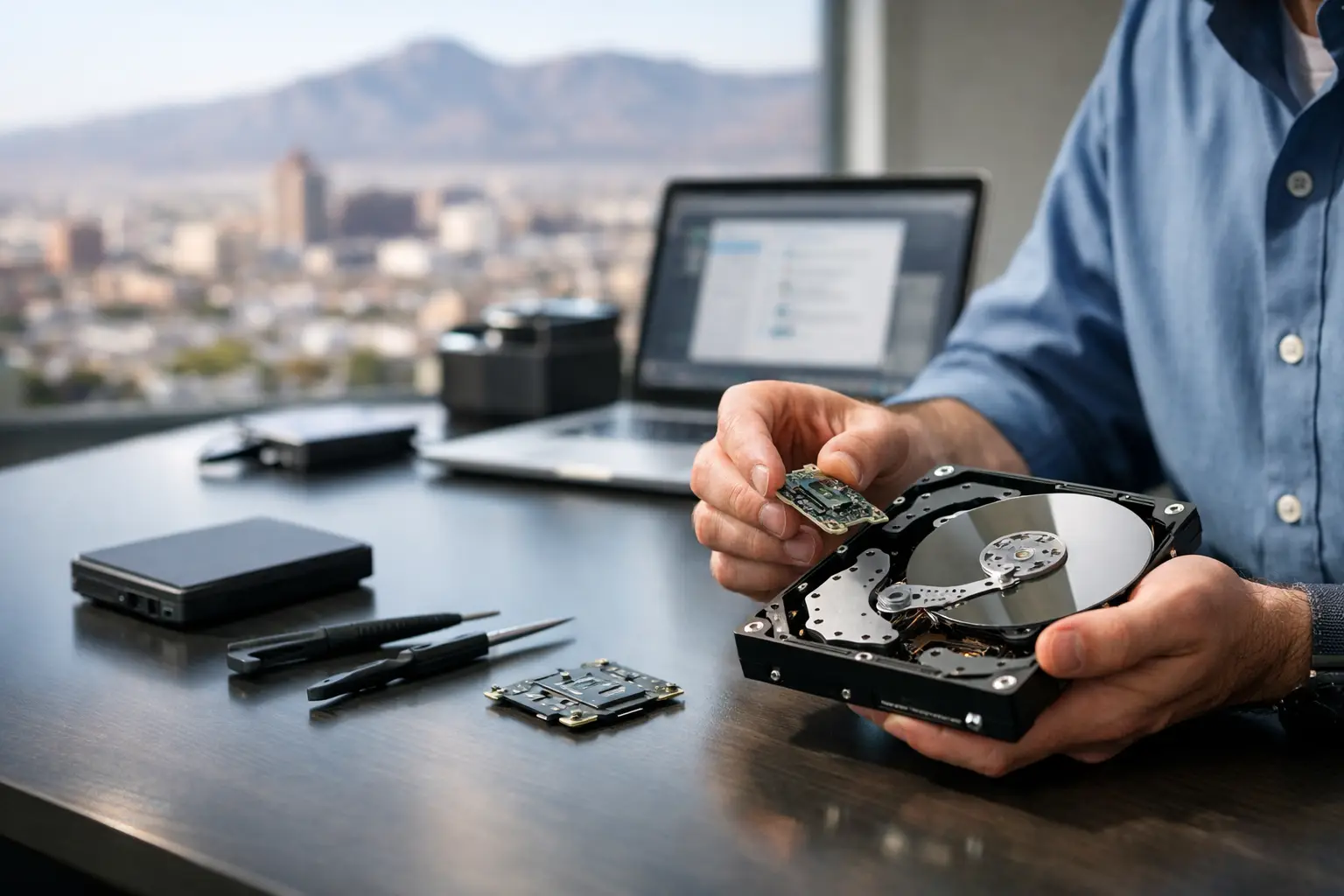
That moment hits fast - your laptop won’t boot, your phone shows a black screen, or an external drive starts clicking and disappears. If you need data recovery El Paso service, the first few decisions matter more than most people realize. Trying random fixes, restarting over and over, or installing recovery apps can make a recoverable problem worse.
Most data loss cases are not really about the device. They are about what is on it - family photos, work files, school projects, QuickBooks data, customer records, saved passwords, game captures, or years of messages. When the information matters, the goal is not just to get the device working again. The goal is to protect whatever can still be recovered and avoid making the damage harder to reverse.
When data recovery in El Paso becomes urgent
A lot of people wait too long because they hope the issue will clear up on its own. Sometimes it does. More often, the warning signs were there first. A hard drive gets unusually slow. A laptop freezes during startup. A phone keeps rebooting after liquid exposure. A USB drive connects one day and vanishes the next.
Urgency depends on the cause. If a drive is making clicking or grinding sounds, stop using it immediately. If a phone or laptop has liquid damage, powering it on repeatedly can create more board-level damage. If a device was dropped and the storage is no longer detected, forcing more boots is risky. In cases like these, every extra attempt can reduce the chance of a clean recovery.
There is also a difference between inconvenience and true data risk. A cracked screen does not always mean your files are gone. A bad charging port does not necessarily affect storage. But if the motherboard has power issues, storage corruption, or liquid damage, the problem moves beyond a basic repair. That is where proper diagnostics matter.
What causes data loss most often
In a local repair shop, the same patterns show up again and again. Physical drive failure is still common on older desktops and laptops that use mechanical hard drives. These drives can wear out, develop bad sectors, or fail after a drop. Once they start clicking, that usually points to internal mechanical trouble, not a software glitch.
Solid-state drives fail differently. They are faster and have no moving parts, but they are not immune. Power issues, controller failure, and sudden corruption can make an SSD unreadable without much warning. Recovery from an SSD can be possible, but it depends heavily on the failure type and whether the storage is encrypted.
Phones and tablets often come in after water exposure, charging failure, or motherboard faults. In many of those cases, the device itself is not the priority. The real job is restoring temporary power, repairing board-level faults, or stabilizing the phone enough to extract photos, contacts, notes, and app data.
Human error is another major cause. Files get deleted. Operating systems get reinstalled. Partitions get formatted by mistake. Those situations can have better recovery odds than severe physical damage, but only if the device is used as little as possible after the mistake.
What to do before you try anything else
If the data matters, stop using the device right away. That sounds simple, but it is the step people skip most. Continued use can overwrite deleted files, stress failing storage, or worsen electrical damage.
Do not install recovery software onto the same drive you are trying to recover from. Do not run repeated startup repair loops if the device is freezing. Do not keep charging a liquid-damaged phone just to see if it comes back. And do not assume cloud backup saved everything. Many customers find out too late that only part of their data was synced.
The safest first move is to have the device evaluated properly. A free initial evaluation is useful because it helps separate a repair issue from a true recovery case. Sometimes the fix is straightforward: a failed charging circuit, a damaged screen hiding a working phone, or a bad port preventing access. Other times the problem is deeper and needs component-level diagnosis before data can be touched safely.
Not all data recovery shops handle the same problems
This is where customers often get mixed results. Some shops can run standard software scans on healthy-enough drives, but they do not do motherboard repair, micro-soldering, or power rail diagnostics. That limitation matters because many phones, laptops, and tablets with “lost data” actually have hardware failures that must be corrected first.
For example, if a MacBook does not power on because of a board fault, the storage may still be intact. But if the board cannot initialize properly, there is no safe path to the data without board-level work. The same goes for phones with liquid damage or desktops with damaged USB, SATA, or power circuitry. In those cases, recovery depends on technical repair ability, not just software tools.
That is why in-store capability matters. When the same shop can diagnose the board, replace failed components, test power behavior, and handle extraction in-house, there are fewer handoffs and fewer delays. It also means you get a clearer answer about what is realistic, what is risky, and what the cost should look like.
What affects recovery success rates
There is no honest way to promise every file back. Success depends on the device, the damage, and what happened after failure.
Physical hard drives can have strong recovery potential if they are handled early and not kept running after symptoms appear. SSDs can be trickier because some failures happen at the controller or firmware level, and encryption can add another barrier. Phones vary widely by model, storage type, and whether they still allow some level of communication.
Timing matters a lot. A deleted folder from yesterday on a device that has not been used much is very different from a drive that has been reformatted and reused for weeks. Liquid damage also changes by the hour. Corrosion spreads. Shorts develop. A phone that might have been recoverable on day one may be much harder after repeated charging attempts.
Business data adds another layer. Accounting files, customer records, and work documents often need folder structure and file integrity preserved, not just a pile of recovered fragments. That is why the process should be approached carefully from the start.
Who usually needs data recovery El Paso service
The need is broader than many people think. Students come in with dead laptops before exams. Parents need years of family photos off a broken phone. Gamers want captures, saves, and storage pulled from damaged consoles or drives. Small businesses need data back from office desktops, failed external drives, and work laptops that suddenly stop booting.
For business users, downtime is usually the biggest pressure point. Replacing a machine is easy compared to replacing the files on it. If payroll data, invoices, design work, or client documents are stored locally, the value of recovery can be much higher than the hardware itself.
That is one reason many customers in El Paso look for a local shop instead of mailing devices away. You can walk in, explain what happened, get eyes on the device, and get a realistic answer faster. For urgent situations, that local accountability matters.
What a good recovery process should look like
A solid process starts with identifying whether the issue is logical, electrical, or physical. That sounds technical, but the practical benefit is simple: you avoid wasting time on the wrong fix.
If the storage is healthy and the file system is damaged, software-based recovery may be enough. If the device has power or board issues, those need to be stabilized first. If there is severe physical media damage, expectations need to be set early because the cost and success rate can change significantly.
You should also get honest communication. Not every recovery is worth pursuing. If the data is low value and the device has severe internal damage, the smartest answer may be to stop before costs climb. A trustworthy shop will tell you that instead of pushing unnecessary work.
At EPElectrocenter, the advantage for many recovery cases is that diagnostics and repair work are performed in-store, including board-level issues that many shops cannot handle. That matters when the path to the data goes through the hardware first, not around it.
The biggest mistake people make
They treat data loss like a normal glitch and keep experimenting. They swap cables, force updates, install programs, restart ten times, and search for a miracle fix. That approach is understandable, but when the files actually matter, guessing is expensive.
The better move is simple. Stop using the device, avoid DIY recovery attempts on important data, and get it checked by a shop that can do more than basic part replacement. If the problem turns out to be minor, great. If it is more serious, you have not made it worse.
When your photos, work files, or business records are on the line, speed matters, but so does restraint. The sooner the right hands evaluate the device, the better your odds of getting back what you cannot replace.