
Motherboard Repair El Paso: What to Expect
A laptop that won’t charge, a game console with no display, a phone stuck in a boot loop - these problems often get blamed on the battery, screen, or port. Sometimes that’s true. But in many cases, the real issue is on the board itself. If you’re looking for motherboard repair El Paso customers can actually rely on, it helps to know what board-level repair means, what can be fixed, and what a good shop should tell you before any work starts.
What motherboard repair actually means
A motherboard is the main circuit board inside your device. It controls power, charging, communication between components, storage access, and the basic startup process. When the board fails, the device may look completely dead or act like it has several unrelated problems at once.
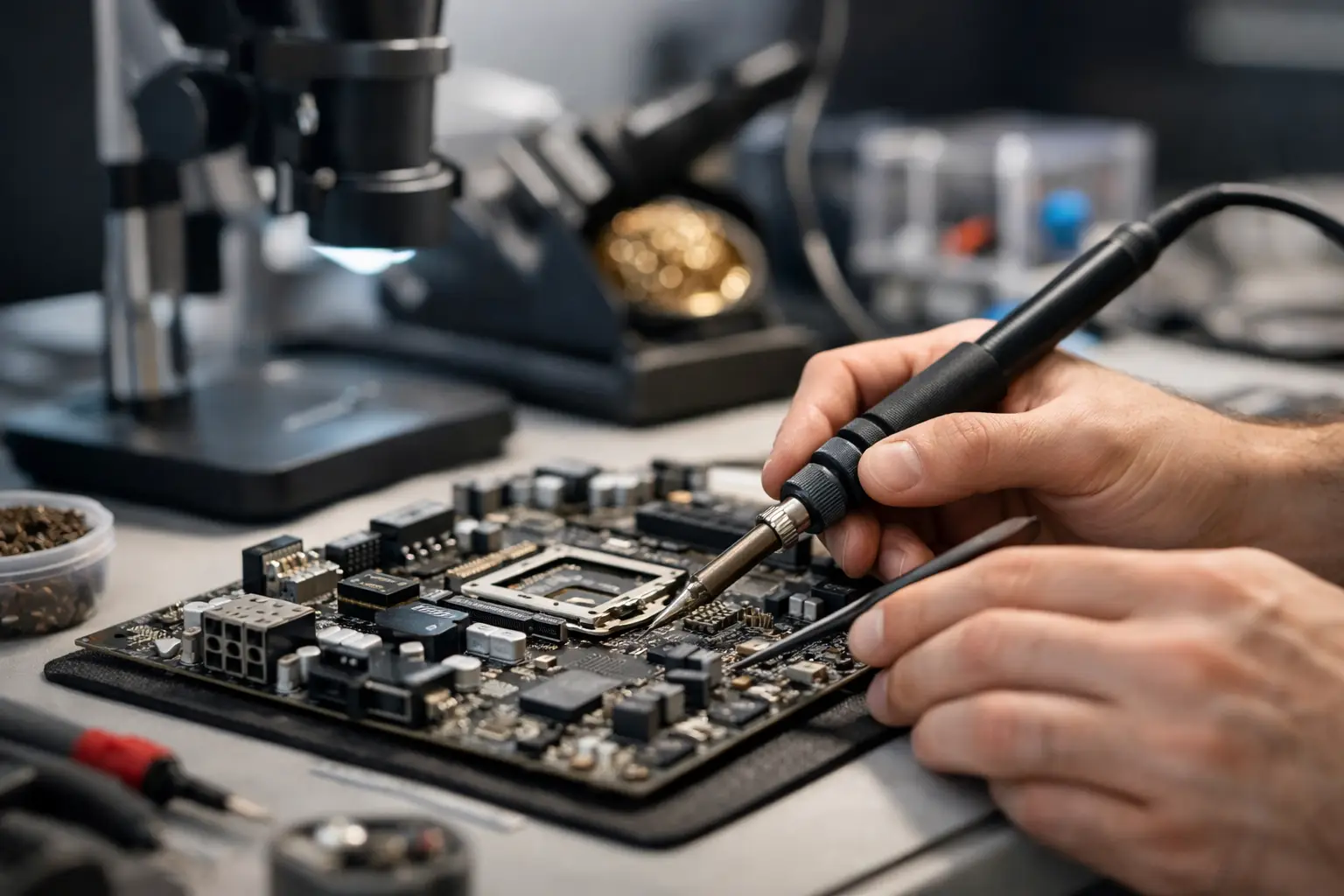
Motherboard repair is not the same as swapping a screen or installing a new battery. It usually involves electrical testing, power rail diagnostics, microscope work, and micro-soldering to replace damaged components or restore broken connections. That kind of work requires more than parts inventory. It requires real troubleshooting.
That matters because a lot of repair shops handle only modular repairs. They can replace a battery, keyboard, or charging port, but when a board issue shows up, they recommend replacing the whole device. Sometimes replacement is the right call. Sometimes it’s not. A proper diagnosis is what separates the two.
Common signs you may need motherboard repair El Paso service
Board-level faults do not always announce themselves clearly. A device can still power on and still have a motherboard problem. Other times it will be completely unresponsive. The most common signs include no power, no charge, random shutdowns, overheating, missing backlight, no image, failed USB or HDMI function, audio issues, and liquid damage symptoms that appear days after a spill.
On laptops and desktops, you might see fan spin with no display, repeated restart cycles, or a system that only works on battery but not on charger. On phones and tablets, signs often include fast battery drain, no touch response after impact, no network detection, or failure to boot past the logo. On gaming consoles, common symptoms include no HDMI output, blue light or white light issues, no power, or intermittent crashing under load.
The hard part is that these symptoms can overlap with other failures. A charging problem could be the port, the battery, the charging IC, or a short on the board. That is why honest repair starts with testing, not guessing.
Why board-level diagnostics matter
Good motherboard repair starts with isolation of the fault. That means checking for shorted lines, measuring voltage rails, testing current draw, inspecting for corrosion, and identifying failed chips or damaged pads. A serious shop should be able to explain the issue in plain English, even if the underlying work is highly technical.
This is where in-house service matters. When diagnostics and repair happen in the same location, the process is usually faster and more accountable. There is less chance of a device being shipped elsewhere, less waiting, and fewer handoffs between technicians. For customers in El Paso who need a working device back quickly, that makes a real difference.
It also affects trust. If a shop performs all services in-store and offers a free initial evaluation, you have a better chance of getting a realistic answer before approving anything. That is especially important with motherboard work, because not every failure is economical to repair.
Devices that often qualify for motherboard repair
Board repair is common across more devices than people expect. Phones, tablets, MacBooks, Windows laptops, desktop motherboards, and gaming consoles all develop board-level issues. Business devices are frequent candidates too, especially when a replacement system would mean downtime, software reinstallations, login recovery, or data migration.
Liquid-damaged devices are a major category. A spill does not always kill a device immediately. Corrosion can spread and create unstable behavior over time. Cleaning alone may not solve it if components have already failed. In those cases, board repair may involve corrosion removal, trace repair, connector replacement, or chip replacement.
Older devices can still be worth saving if the repair cost is reasonable and the machine meets your needs. Newer devices are often even stronger candidates because replacement cost is higher. The right answer depends on the age of the device, the severity of damage, and whether your data is still accessible.
When repair makes sense and when it doesn’t
Not every motherboard should be repaired. That is the honest answer.
If a device has severe liquid damage across multiple layers, burned board sections, or CPU and memory damage on a low-value machine, replacement may be smarter. The same goes for very old hardware with limited parts availability. On the other hand, if the issue is isolated to a charging circuit, power management chip, HDMI port circuitry, backlight circuit, or a localized short, repair can be far more cost-effective than replacing the entire device.
Data can change the equation too. If the device contains business files, school work, family photos, or software setups that are hard to recreate, board repair may be worth pursuing even when the hardware itself is older. Sometimes the goal is not long-term use. Sometimes it is getting the device stable enough to recover critical data.
A reliable shop should walk you through that trade-off instead of pushing repair just because it is possible.
What the repair process should look like
For motherboard repair El Paso customers should expect a process that is straightforward. First comes the initial evaluation. The technician checks symptoms, inspects the device, and confirms whether the problem is likely on the board or somewhere else. That first pass should set expectations, not make promises before testing is complete.
Next comes deeper diagnostics. This can include disassembly, board inspection under magnification, diode mode readings, voltage injection, thermal tracing, and component testing. Once the fault is identified, the shop should explain the recommended repair, expected turnaround, and pricing before moving forward.
Then comes the actual board work. Depending on the issue, that may involve replacing an IC, repairing a damaged trace, replacing a connector, reworking solder joints, or cleaning corrosion and restoring damaged sections. After that, the device should be retested under real use conditions, not just powered on for a few seconds and called done.
That final testing matters. A laptop that powers up but cannot charge properly is not fully repaired. A console with video output that fails after warming up is not fully repaired. The goal is function you can rely on.
Pricing depends on the fault, not just the device
One reason motherboard repair feels confusing to customers is that pricing is not always flat. That is normal. The same model of laptop can have a simple charging circuit failure in one case and major liquid damage in another. The labor, parts, and time involved are completely different.
What you should expect is transparency. A shop should be able to tell you what the diagnostic process covers, whether there is a free initial evaluation, and when a final repair quote will be provided. Fair pricing does not always mean the cheapest number upfront. It means the quote reflects the actual work and you are not paying for guesswork.
Shops that handle advanced motherboard work in-house can often save customers money compared with full board replacement or device replacement. That is especially true when the problem is a single failed component rather than widespread damage.
Choosing a motherboard repair shop in El Paso
If you need board-level work, ask practical questions. Does the shop do motherboard repair in-store? Do they offer micro-soldering? Can they handle liquid damage diagnostics, charging issues, no power cases, and port-related board faults? Will they give you a clear explanation of what failed and what your options are?
Local accountability matters too. Walk-ins welcome, clear communication, and realistic turnaround times are a better sign than vague promises. You want a repair shop that can handle both common fixes and harder cases without shipping your device across the state.
That is where a specialized local shop like EPElectrocenter stands apart. Advanced diagnostics, in-house repair, and honest service are not extras in motherboard work - they are the whole job.
The real value of fixing the board
A successful motherboard repair is not just about saving hardware. It can keep your files intact, avoid the cost of replacing a device, reduce downtime, and extend the life of equipment you already know works for your needs. For students, that can mean keeping a semester on track. For small businesses, it can mean avoiding lost time and setup headaches. For gamers, it can mean getting a console back without replacing the whole system.
Some repairs are simple. Some are highly technical. Either way, the best next step is not guessing at home or assuming the device is done for. It is getting a real evaluation from a shop that knows how to trace faults to the board level and tell you the truth about whether the repair is worth it.